
How to Install & Use Sweeps Farmer
Follow these steps to get Sweeps Farmer running in under 5 minutes.
⚠ Chrome or Brave browser recommended
- 1
Use Chrome or Brave
Sweeps Farmer is a Chrome extension and works on Chrome and Brave browsers only. Firefox and Safari are not supported. - 2
Install NopeCHA (required)
NopeCHA is a free CAPTCHA solver that Sweeps Farmer uses to automatically pass login CAPTCHAs on casino sites. You must install it before using Sweeps Farmer.After installing NopeCHA, no configuration is needed; it works automatically in the background.
- 3
Create a free Sweeps Farmer account
Sign up for a free account at sweepsfarmer.com. You will need your email and password to connect the extension.Check your email for a confirmation link after signing up.
- 4
Download the extension
Log in to your account and click Download extension from your account dashboard to download the ZIP file. - 5
Unzip the file
Right-click the downloaded ZIP file and extract it to a folder on your computer. Remember where you save it.On Windows: right-click → Extract All. On Mac: double-click the ZIP file.
- 6
Open Chrome or Brave Extensions
In your browser address bar, type the following and press Enter:chrome://extensionsFor Brave, this works exactly the same way.
- 7
Enable "Developer mode" and click "Pack extension"
In the top-right corner of the Extensions page, toggle on Developer mode. Then click Pack extension.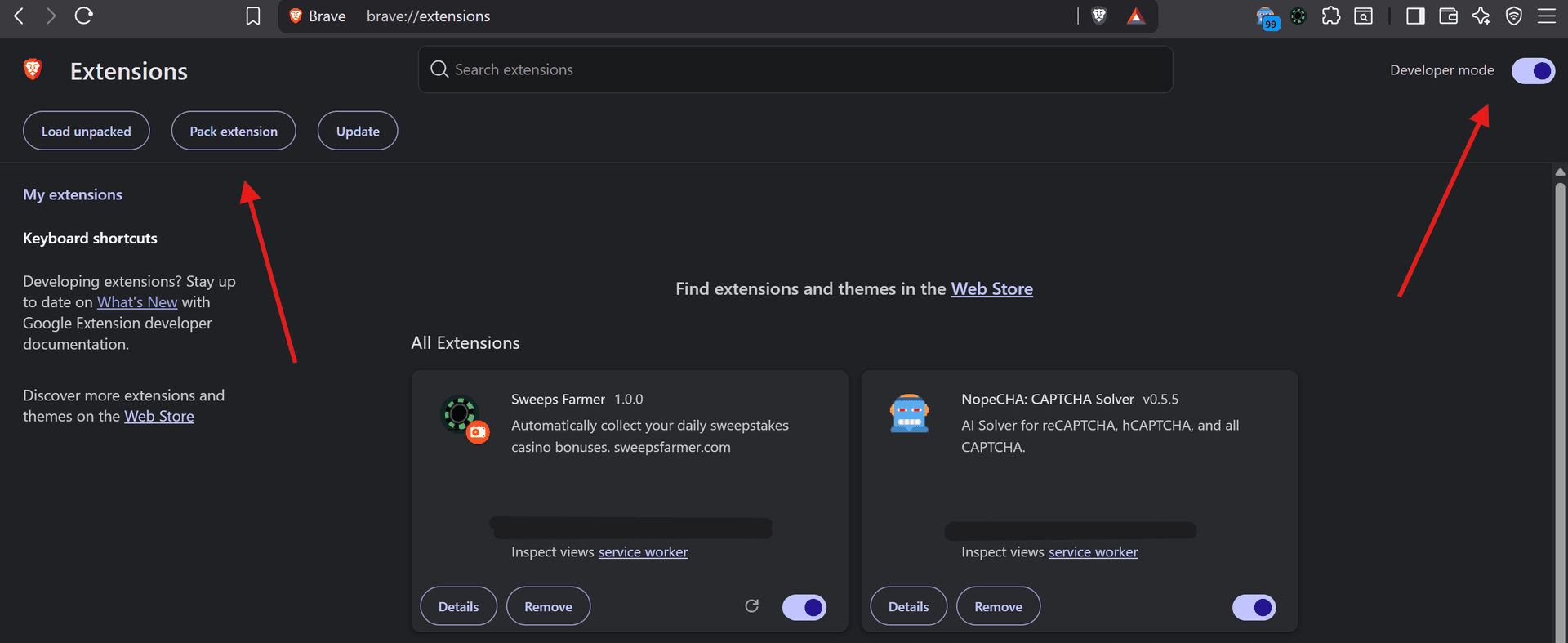
- 8
Browse to your unzipped folder
In the Pack extension dialog, click Browsenext to "Extension root directory" and select the folder you extracted in Step 5.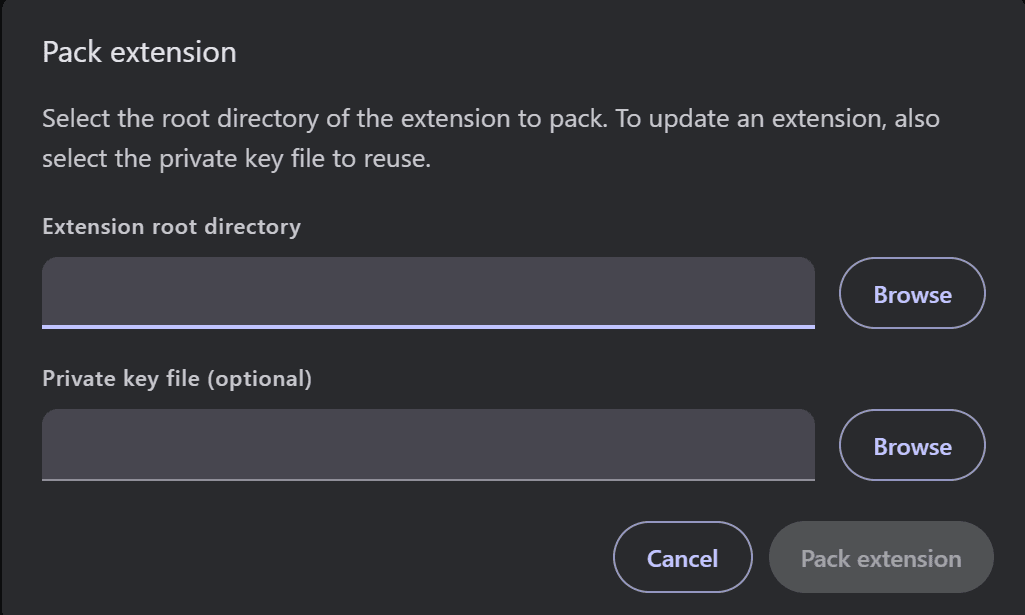
Select the folder that contains the manifest.json file, not the ZIP file itself.
- 9
Click "Load unpacked"
Back on the Extensions page, click Load unpacked and select the same extracted folder. Sweeps Farmer will now appear in your extensions list.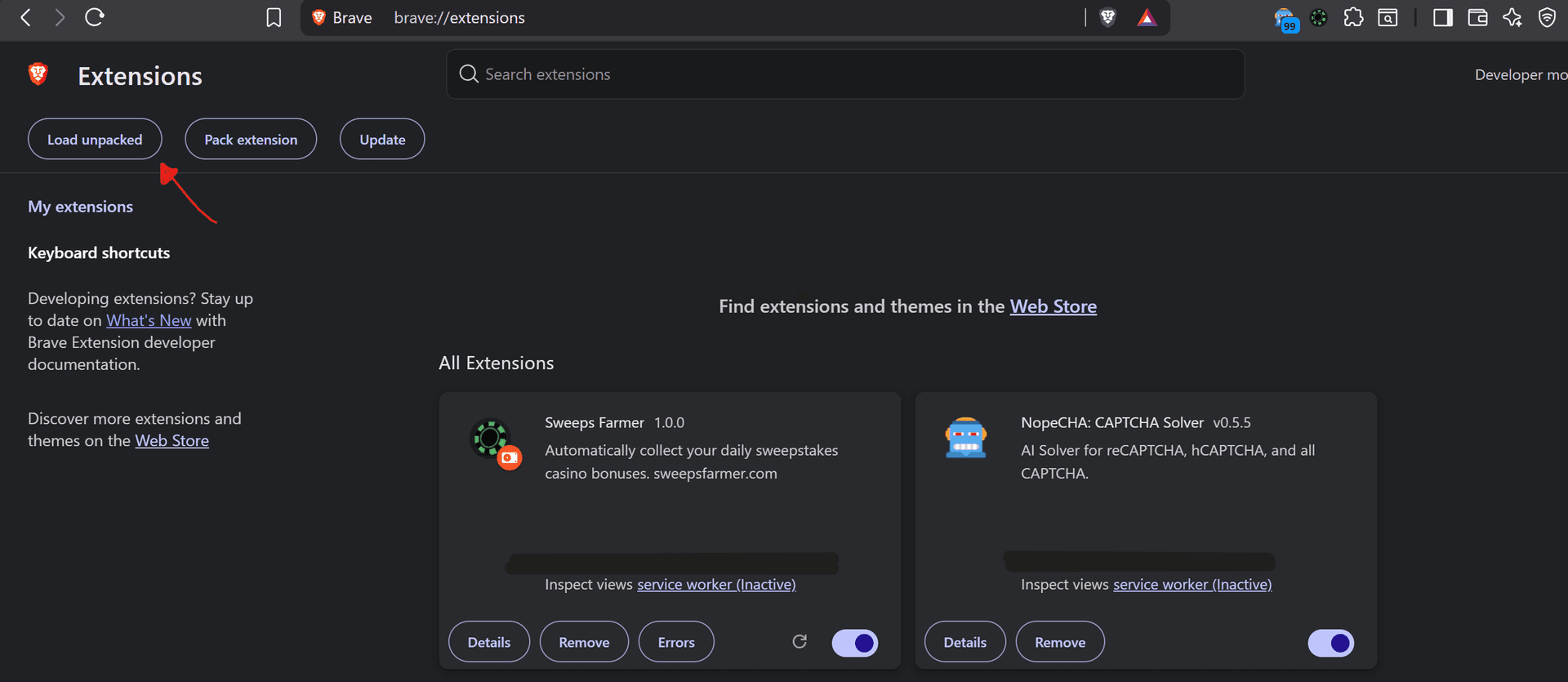
- 10
Sign in to the extension
Click the Sweeps Farmer icon in your browser toolbar. You will be prompted to sign in with your sweepsfarmer.com email and password.If you don't see the icon, click the puzzle piece 🧩 in your toolbar and pin Sweeps Farmer.
- 11
Add your casino accounts
Once signed in, click the + button to add your first casino account. Select the casino, enter your login credentials, and Sweeps Farmer will start collecting your daily bonuses automatically.Free plan: up to 3 casinos. Upgrade to Unlimited for all 50+ casinos.
Farm all 50+ casinos with Unlimited
Every daily bonus at every supported casino, claimed for you, for $15/month.
- ✓Every supported casino automated, not just 3
- ✓Members community: forum, promo alerts, strategy
- ✓Video content and step-by-step farming guides
Cancel anytime. Or start free with 3 casinos.